
Concerned your payout may be missing? Here is how to check on the status.

You can access your "payouts" page anytime by clicking on fourth button from the left on the bottom menu to see your sales statistics, and then clicking on "track payouts."

On this page, you can view all payments sent out to you and their expected arrival date.
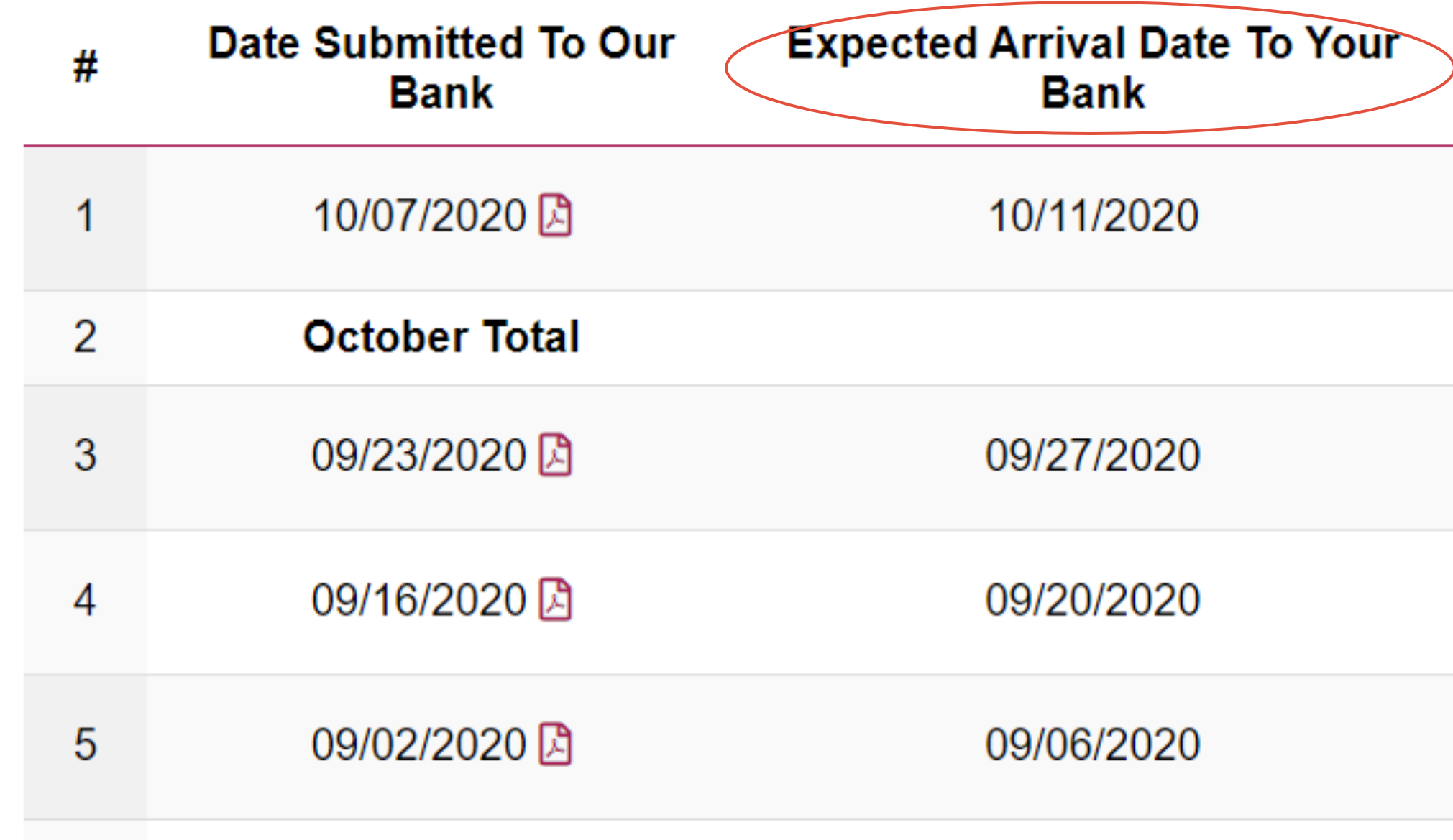
If your payout is listed, check the expected arrival date. Delays can happen due to holidays or weekends, but if it's over a couple of days late, please contact us to trace your payment.
If your payout isn't listed, one of three things might be happening:
- You didn't meet the $50 minimum by 12AM Eastern on Tuesday. Payouts are made on Wednesday based on totals calculated at the end of Monday.
- Something wrong with your payout information. If you've never received a payout before to that account, that is the most likely reason. Re-enter your banking information!
- Is it possible you set your payout to "monthly" or "hold - do not pay" to temporarily pause payouts? Check your account settings under "All Model Options" on the left hand menu.
Still not sure? Time to get in touch! Be sure to mention the date you expected to receive your payment when you reach out to us and whether or not you see the payment on your "payouts" page.
Comments
0 comments
Please sign in to leave a comment.